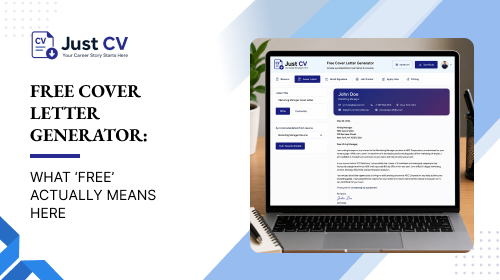
A genuinely free cover letter generator lets you write, edit, and download a finished letter without creating an account first, without a watermark stamped across it, and without a subscription charge appearing at the export step. Many tools labeled ‘free’ stop short of that. Here is how to tell the difference before you start typing.
Why This Question Even Needs Asking
Searching for a free cover letter generator should be simple. Type a job title, get help writing a letter, download it, apply. In practice, the word ‘free’ on a landing page and a genuinely frictionless free experience are two different things.
FlowCV’s cover letter builder ranks #1 organically for both “free cover letter generator” and “cover letter generator”and there’s a good reason why. FlowCV is not the biggest domain in this category. It ranks for these competitive terms despite targeting only a fraction of the total keywords covered by larger sites like Resume.io. Topical focus, not raw domain size, is doing the work here. That is a signal, not a criticism: a smaller, well-built page can outrank a much larger one when it answers the question directly.
Per flowcv.com’s own export flow as of July 2026, generating a letter typically requires creating an account before you can download it. That is a common industry pattern, and it is not unusual. But it does mean the word ‘free’ on the page does not always extend all the way to a no-friction download, and most tools in this category do not explain that upfront, before you have already invested ten minutes writing.
That gap, no plain-language explanation of what to check before trusting a free tool, is what this article fills.
What to Look for Before Using a Free Cover Letter Generator

Before spending time on a cover letter generator, take a minute to review this quick checklist. It takes under a minute and saves you from an unpleasant surprise at the export screen.
- Does export require an account? Some tools let you write for free but ask you to sign up, or upgrade, only once your letter is finished and ready to download.
- Is there a watermark on the free version? A watermark can make a letter unusable for a real application, even if the writing itself is free.
- Is there a hidden subscription at download? Check whether ‘free’ converts into a recurring charge, or whether the free plan simply ends at export.
- Are the templates actually ATS-friendly? A cover letter that looks polished but uses columns, tables, or graphics can be harder for applicant tracking systems to parse correctly. Read our guide to ATS-friendly cover letter formatting to see these best practices in action.
- Can you edit after AI drafts a version? A good cover letter tool should give you a customizable first draft not a rigid final version you can’t personalize.
This checklist applies to any generator you are evaluating, including JustCV’s. Run it against us too.
How the Options Compare
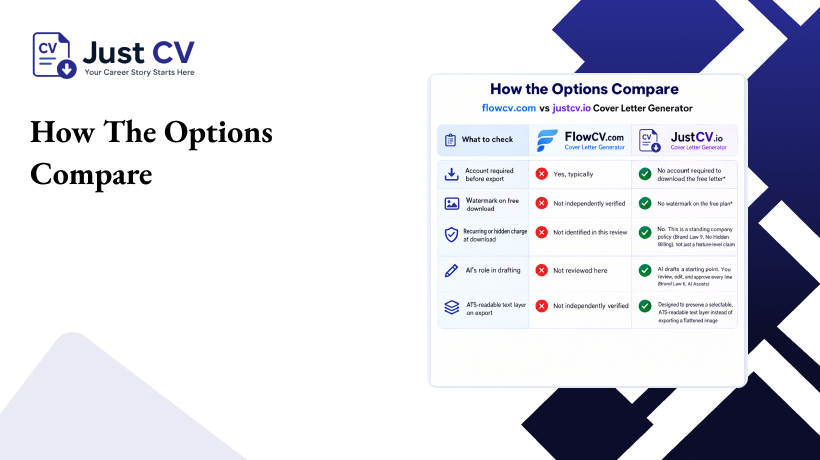
| What to check | flowcv.com’s cover letter builder (per its own flow, July 2026) | JustCV’s cover letter generator |
| Account required before export | Yes, typically | No account required to download the free letter* |
| Watermark on free download | Not independently verified | No watermark on the free plan* |
| Recurring or hidden charge at download | Not identified in this review | No. This is a standing company policy (Brand Law 9, No Hidden Billing), not just a feature-level claim |
| AI’s role in drafting | Not reviewed here | AI drafts a starting point. You review, edit, and approve every line (Brand Law 6, AI Assists) |
| ATS-readable text layer on export | Not independently verified | Designed to preserve a selectable, ATS-readable text layer instead of exporting a flattened image |
*Marked rows reflect JustCV’s confirmed Free Means Free policy and the confirmed text-layer requirement for resume exports, extended here to the cover letter generator. Please have engineering confirm these three points against the live export flow before this page goes public, so every claim is verified against the shipped product rather than the underlying policy alone.
How JustCV’s Generator Works
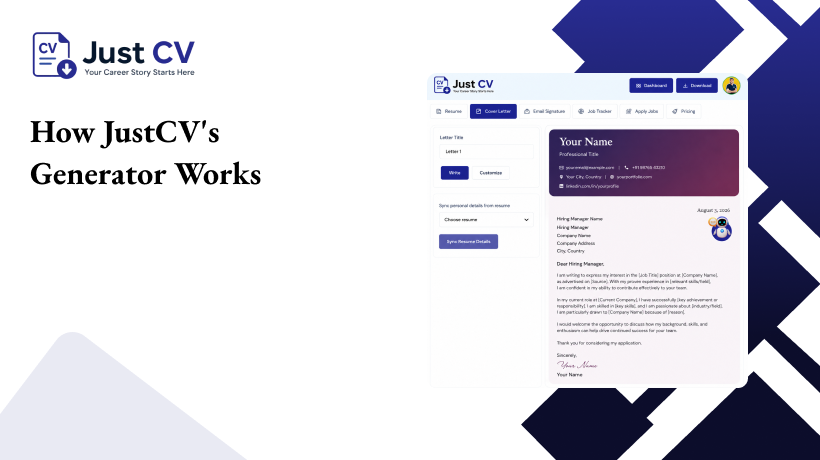
JustCV’s approach starts from a simple rule: if a plan is labeled free, it should behave like it. That means no card required to start, and a finished letter that is actually yours to download, not a preview locked behind an upgrade prompt.
The generator works in three steps:
- Tell it about the role. Please paste the job description or include a few details about the role you’re applying for.
- Let AI draft a starting point. AI generates a personalized opening, a compelling body that connects your experience to the role, and a strong closing. You approve or edit every line, since AI assists here, it does not write the whole thing unsupervised.
- Download a real, ATS-readable file. The export keeps a selectable text layer, so applicant tracking systems can read it the way they would read any standard document.
This matters most for readers who have felt burned before. If you have been turning a career change, a career break, or a first application into a cover letter and worried it would not read as ‘real’ experience, that counts, and the letter should say so without you needing to apologize for the gap or the pivot.
If you want to start from a structure instead of a blank page, our cover letter templates give you a formatted starting point, and the full templates library covers resumes and cover letters together so both documents match.
A Note on What We Won’t Claim
We will not tell you our tool is the ‘best’ free cover letter generator, and we will not promise a specific outcome like more interviews. No cover letter tool can honestly guarantee that, and any that does is making a claim it cannot back up.
What we can confirm today: no hidden charge appears at download, because that is a standing company policy, not a feature we are hoping holds up. The account-wall and watermark behavior described above reflect that same policy applied to this feature, and this page will be updated with a direct product confirmation once engineering signs off.
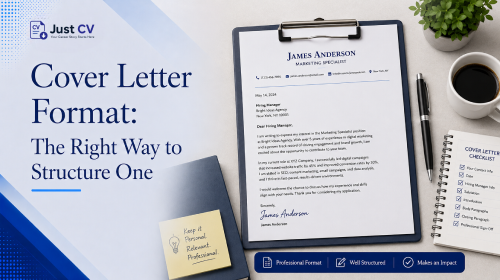
For the mechanics of structuring the letter itself once you have picked a tool, see cover letter format: the right way to structure one. If you are applying to a specific type of role, cover letter examples by job type shows what to adjust for each one.
FAQs
Is a free cover letter generator actually free?
It depends on the tool. Check whether download requires an account, whether there is a watermark, and whether a subscription appears at export. ‘Free’ on the landing page does not always mean free all the way through.
Do I need to make an account to use a cover letter generator?
Some tools require one before you can download, even if writing itself is free. Always check the export step specifically, not just the homepage claim.
Will an AI-written cover letter pass an ATS?
A cover letter’s ATS-readability depends more on formatting, a real text layer with no tables or graphics blocking parsing, than on whether AI helped draft it. Confirm the export produces selectable text.
Should AI write my whole cover letter?
AI can draft a strong starting point, but the letter should still sound like you. Review and edit every line before sending it.
Does a career gap need to be explained in a cover letter?
Not necessarily in detail. A brief, confident mention is usually enough. The experience or time away still counts toward your story.
What is the difference between a cover letter generator and a template?
A template is a fixed structure you fill in yourself. A generator uses AI to help draft the content inside that structure, which you then edit.
Is JustCV’s cover letter generator free to use?
Yes. The free plan is built so a real, downloadable letter comes with it, not just a preview, with no account wall or watermark on the free download.
Word count target: 1,500–2,500 words (article body above). Suggested CTA button: “Start Free.” Analytics note for dev: fire an event on the ‘Start Free’ CTA click distinct from generic nav clicks, so this page’s conversion can be tracked against organic entry from these keywords
