An ATS-friendly resume for freshers is one an applicant tracking system can read cleanly: clear section headers, a standard font, no tables or graphics hiding your text, and a simple one-column layout. Formatting -not years of experience is usually what decides whether an ATS parses your resume correctly.
If you’re applying for your first job, you’ve probably heard some version of “the ATS will reject you.” It’s one of the most common worries among freshers, and it’s worth taking seriously but not in the way most advice frames it.
This guide breaks down what ATS software actually does, why freshers get flagged more often than they should, and four concrete formatting fixes you can make today.
Why Freshers Worry About ATS (and What’s Actually True)

An applicant tracking system (ATS) is software that scans and organizes resumes before a recruiter opens one. It doesn’t judge your potential. It reads structure headings, layout, and file formatting and sorts your information into fields.
Here’s the part most fresher-resume advice skips: ATS parsing problems are usually a formatting mismatch, not an experience shortfall. Most mid-career resume templates include multi-column layouts, skill icons, and text boxes that can make resumes harder to read. Those elements were never a fresher’s fault. They’re formatting choices that confuse ATS software, no matter who wrote the content.
If you’re a first-time job seeker, your resume doesn’t need a work history to be ATS-friendly. It needs:
- Standard section headers the system recognizes (“Education,” “Skills,” “Projects,” “Certifications”)
- A layout the parser can read top-to-bottom, left-to-right
- Content in the body of the document, not in a header, footer, or embedded image
In other words, an internship, a college project, a certification, or a volunteer role can all be read cleanly by an ATS as long as the formatting doesn’t get in the way first. That counts, and it’s worth building your resume so the system can actually see it.
Most fresher-resume content online focuses entirely on what to write when you have “no experience” projects, coursework, extracurriculars without ever addressing whether the format those sections sit in is something an ATS can parse. That’s the gap this guide fills: the formatting layer, not just the content layer.
4 Formatting Tips for a Fresher Resume
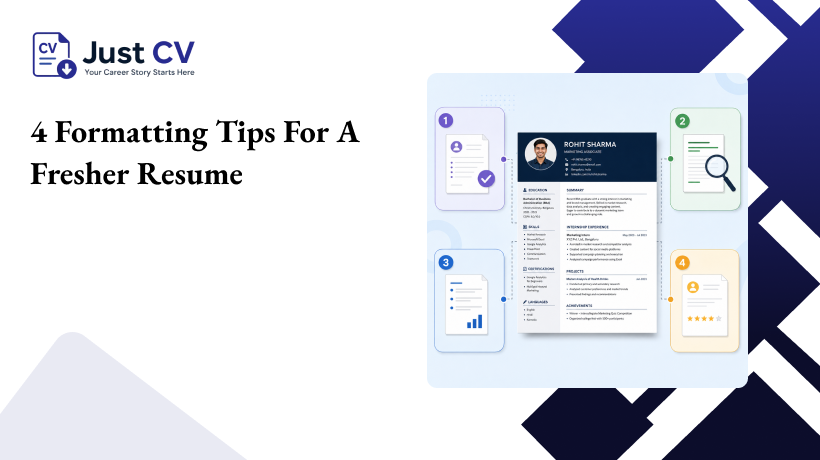
Use this checklist when building or reviewing your resume. Each tip addresses a common ATS issue that affects fresher resumes.
1. Use standard, labeled section headers. Stick to recognizable terms like “Education,” “Skills,” “Projects,” and “Certifications” instead of creative alternatives like “My Journey” or “What I Bring.” ATS software maps content to fields using these headers – unusual labels can cause your project work or coursework to be skipped entirely.
2.Choose a single-column, text-based layout. Multi-column designs, sidebars, and text boxes often get parsed out of order or dropped. A simple, single-column structure keeps your education, skills, and projects readable in the correct sequence.
3.Avoid graphics-heavy elements for core content. Skill bars, icons, and infographic-style skill ratings look polished visually, but ATS software can’t read a bar chart. Show your skills in plain text so recruiters and ATS can read them easily.
4.Keep contact details and headings in the main body – not headers or footers. Some ATS parsers skip header and footer regions entirely. Your name, email, phone number, and location should sit in the main document body, not tucked into a page header.
Quick Fresher ATS Checklist
- Standard section headers used throughout
- Single-column layout with no text boxes
- No skill bars, icons, or graphic ratings for core content
- Keep your contact details in the main document, not in the header or footer.
- Common file type used (PDF with a real text layer, or DOCX)
- Font is a standard, widely supported typeface
General Fresher Resume Advice vs. an ATS-Aware Approach
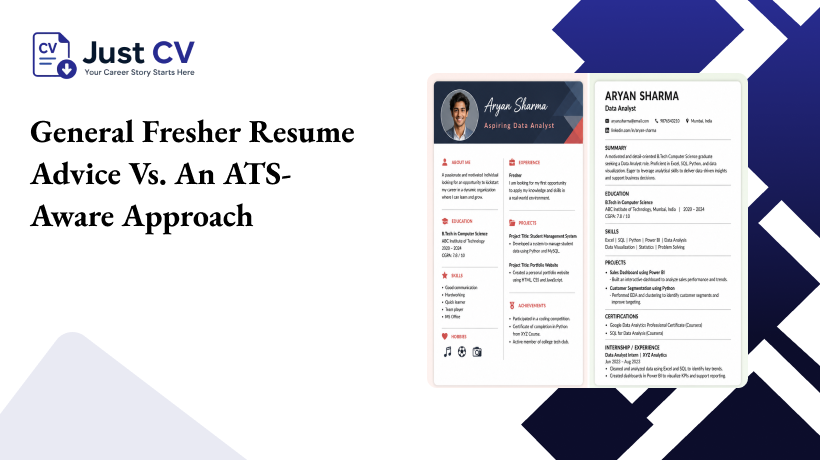
Most fresher-resume content treats formatting as an afterthought. Here’s what sets these two approaches apart:
| What generic fresher advice covers | What an ATS-aware fresher resume also gets right |
|---|---|
| What to write with no work experience (projects, coursework) | How that same content is structured so an ATS can read it |
| Suggests “creative” templates to stand out visually | Prioritizes single-column, text-based layouts an ATS can parse |
| Lists strong action verbs and bullet phrasing | Confirms section headers use ATS-recognizable labels |
| Recommends a one-page resume | Confirms the file exports with a real, selectable text layer -not a flattened image |
| Focuses on tone and content only | Treats formatting and content as equally important for getting read at all |
This is the actual gap: content advice for freshers is everywhere, but very little of it connects that advice to whether an ATS can parse the result. This guide is designed to help you build a resume that works for both recruiters and ATS.
Putting It Together: A Simple Fresher Resume Structure
A fresher resume doesn’t need to be complicated to be ATS-friendly. This resume pattern for freshers works well because it’s simple enough for an ATS to parse and complete enough to show real effort:
- Contact information (main body, not header)
- Professional summary – two to three lines on your focus and strengths
- Education
- Skills (plain text, not graphics)
- Projects or coursework
- Internships, freelance work, or volunteer experience (if any)
- Certifications
Your freelance projects, open-source work, and certifications count as experience. Don’t leave them out just because they aren’t from a traditional job.
Explore ATS-Tested Templates and Fresher Examples
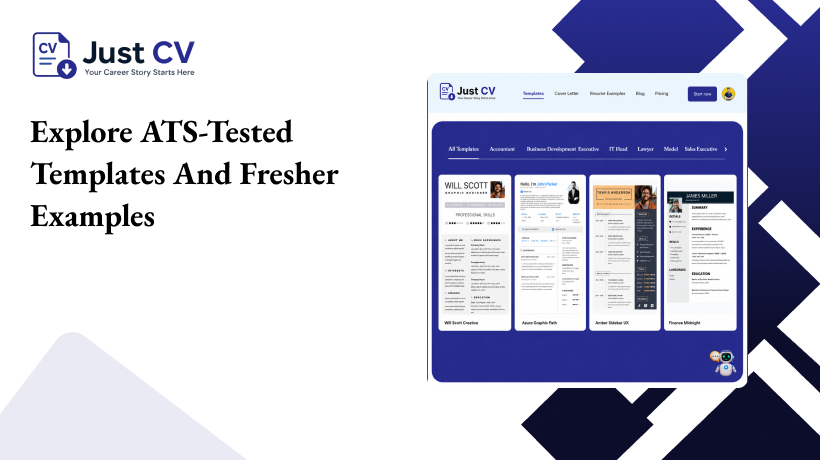
Seeing the structure applied is often easier than building it from a blank page. JustCV’s ATS-tested resume templates are built with the formatting principles above already in place- standard headers, single-column layouts, and text-based skill sections – and every template exports with a real, selectable text layer rather than a flattened image, so the formatting stays intact after download.
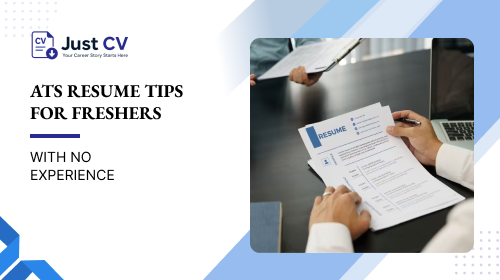
Here’s what these principles look like in a real resume, with fresher-specific content, browse resume examples built for freshers for reference before you start writing.
Ready When You Are
An ATS-friendly resume isn’t about tricking software or overselling limited experience. It’s about making sure the projects, coursework, and early experience you already have get read the way you intended.
Building an ATS-friendly resume for freshers starts with structure, not more content. Get the formatting right, and the rest of your story has a real chance to be seen.
FAQs
Is my resume ATS-friendly if I have no work experience?
Yes , ATS-friendliness depends on formatting, not experience level. A fresher resume with clear section headers, a single-column layout, and plain-text skills can parse just as cleanly as an experienced professional’s resume. Projects, coursework, and internships all count as valid content once the structure is right.
What file format should freshers use for an ATS-friendly resume?
Use a PDF with a real, selectable text layer, or a DOCX file , avoid a flattened or scanned image PDF, since ATS software can’t read text from an image. Both formats preserve your formatting while staying machine-readable.
Can I use a creative or colorful resume template as a fresher?
You can use color and clean design, but avoid multi-column layouts, text boxes, icons, and graphic skill bars for core content. These elements often get misread or dropped by ATS parsers, regardless of how experienced the applicant is.
Do freshers need a different resume format than experienced professionals?
The core ATS-friendly principles -standard headers, single-column layout, plain-text content – apply to any resume. Freshers typically lead with Education and Projects instead of a long work history, but the underlying formatting rules stay the same.
What sections should a fresher’s ATS-friendly resume include?
A typical structure includes contact information, a short summary, Education, Skills, Projects or coursework, any internships or freelance work, and Certifications. Each should use a clearly labeled, standard header so the ATS can identify it.
Will listing college projects hurt my chances with an ATS?
No ,projects are valid, parseable content when placed under a clearly labeled section like “Projects.” What hurts ATS parsing is the formatting around the content, not the fact that it comes from coursework rather than a job.
How can I check if my resume is actually ATS-friendly before applying?
Review your resume against a formatting checklist standard headers, single-column layout, no graphics for core content, and contact details in the main body. JustCV’s Resume Score can also review your resume’s formatting and structure.