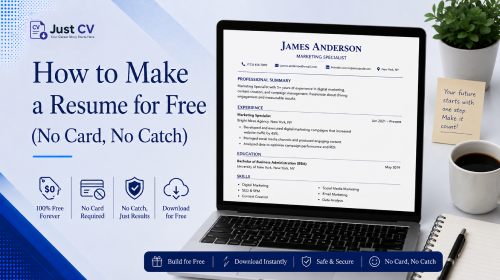
You can make a resume for free, start to finish, without entering a credit card: pick a builder with a genuine free export, add your experience, let AI draft your bullet points, choose an ATS-friendly template, and download a real PDF. The six steps below walk through exactly how – plus what to check before you trust any tool’s “free” label.
Key Takeaways
- Making a free resume takes six steps, from choosing a builder to downloading your PDF -no payment step required if you pick the right tool.
- “Free” doesn’t always mean free at download. Some well-known builders let you build a resume, then ask for payment the moment you try to export it.
- Before you trust any “free resume maker,” check what file format the free plan actually exports – this single detail predicts most of the surprise charges people report.
- JustCV’s free plan includes a real, ATS-friendly PDF export with no card required at signup.
Making a resume shouldn’t feel like a trap you have to read the fine print to avoid. This guide covers how to make a resume online free, plus exactly what to check before you trust any tool’s “free” claim.
Step-by-Step: Making a Free Resume
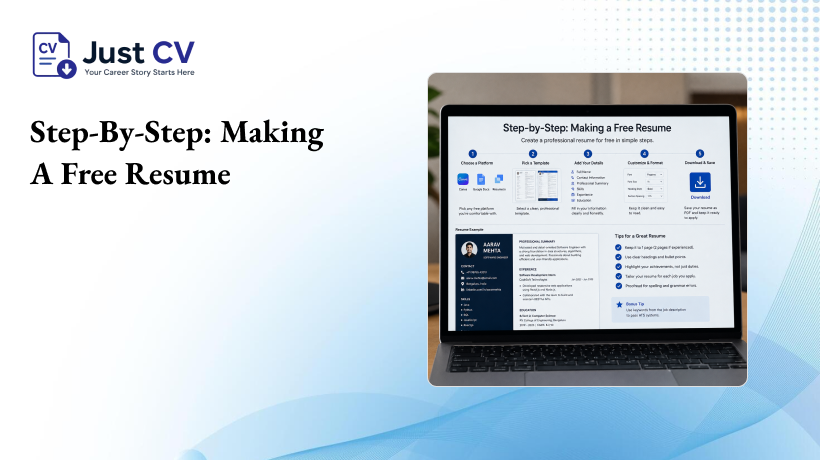
Here’s the full process for how to build a resume for free, from a blank page to a downloaded PDF.
- Choose a builder with a genuine free export. Look specifically at what the free plan lets you download, not just what it lets you build. Some tools let you design a full resume free, then lock the PDF behind a paywall – the checklist below covers exactly what to check.
- Add your basic information. Name, contact details, and the role you’re targeting. Most builders auto-format this into a header.
- Bring in your experience. Paste an old resume or your LinkedIn summary, or start typing your work history from scratch. If you’re using an AI-assisted builder, this is the step where AI suggests draft bullet points for you to edit – you stay in control of what gets published.
- Review and personalize every line. Use AI drafts as a starting point, then refine them to make them your own. Swap in your own numbers, tools, and outcomes so the resume sounds like your story, not a template’s.
- Pick a template built for ATS parsing. Choose a layout with a single-column reading order and a real text layer, so applicant tracking systems can actually read it – not just a design that looks good on screen.
- Download your resume as a free resume PDF download. This is the step where “free” tools most often reveal their real pricing. Confirm the export is a genuine PDF, not a locked preview or a plain-text file, before you consider the resume finished.
A quick note on step 5: single-column layouts matter because ATS software reads a page top to bottom, left to right. A two-column design can pull text out of order – a job title from the right column might get read before the company name on the left. Contact details belong in the main body of the document too, not in a header or footer, since some ATS parsers skip those sections entirely.
That’s the whole process. No step above requires a credit card if you’ve chosen a tool with a genuinely free download.
Starting with nothing? Our guide on how to write a resume from scratch, even with no experience covers the step before this one.
What to Check Before You Trust “Free”
Not every free resume maker no signup or low-friction tool behaves the same way once you reach checkout. Here’s what to look at before you invest 20 minutes filling in your experience.
Checklist: Is this resume maker truly free, or is there a catch?
☐ Does the free plan export a real PDF – or only a plain-text (.txt) file that most employers won’t accept?
☐ Does downloading require a credit card at any point, even one described as a “free trial”?
☐ Is the billing structure disclosed clearly before you enter payment details – not in low-contrast text near the bottom of the page?
☐ Does the pricing page state exactly what happens if you don’t cancel, and when?
☐ Is cancellation as easy to find as the upgrade button?
☐ Does the tool let you see your finished resume before asking for any payment information?
If a tool fails two or more of these checks, that’s worth knowing before you build your resume there – not after you’ve already invested the time.
The gap this checklist closes
Several widely used resume builders advertise a free plan. In practice, the free-to-paid moment is often structured around a low-cost trial. Resume.io’s own pricing page, for example, lists a short trial that auto-renews into a recurring charge roughly every four weeks unless it’s cancelled in time (resume.io/pricing, accessed August 2026; exact figures can vary by region and change over time, so it’s worth checking the live page directly).
That structure sits at the exact moment a job seeker is trying to download the resume they just spent 20 minutes building. That’s precisely when people are least likely to read fine print carefully.
If you search “make resume free” and land on a builder like this, the resume itself may be genuinely well-designed. The tension is between the search term you typed and the checkout screen you’ll eventually reach. Very few pages ranking for this exact phrase address that tension directly – worth checking for yourself with the list above, rather than assuming “free” in the page title matches “free” at download.
For a deeper side-by-side, see our comparison of CV Builder vs. Resume Builder: Free Options Compared.
Comparing “Free” Resume Builders
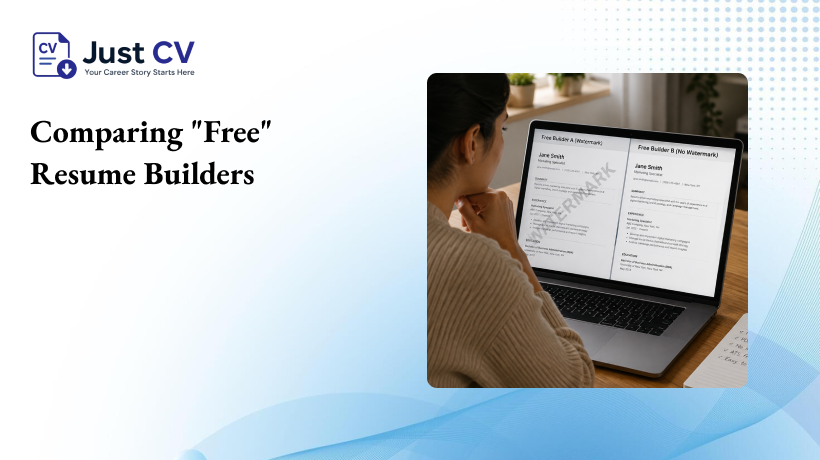
Free plans vary more than most people expect when they set out to build resume for free. Here’s what to check before choosing one.
| What to check | What it usually means |
|---|---|
| File format on free plan | PDF = usable for most applications. TXT-only = often not accepted by employers or ATS systems. |
| Payment info required at signup | None needed = lower risk of a surprise charge. Card required for a “trial” = worth reading the billing terms closely. |
| Billing cycle disclosed upfront | Clear monthly/annual terms = easier to track. “Every 4 weeks” quietly becomes 13 charges a year instead of 12. |
| Cancellation path | Self-service, same number of clicks as upgrading = low friction. Buried in support tickets = a red flag. |
| Watermark on export | No watermark on the free plan = a genuinely usable document. A visible watermark often signals the free version isn’t meant to be sent to employers. |
| Number of resumes saved | Some free plans cap you at one resume. If you’re tailoring versions for different roles, check this limit before you start. |
| AI involvement | AI drafts suggestions, you approve every line = you stay the author. “AI writes your resume” claims are worth double-checking against what you’re actually allowed to edit. |
Use this table the same way you’d use the checklist above: as a five-minute check before you commit your time to any one builder.
Making a Resume for Free with JustCV
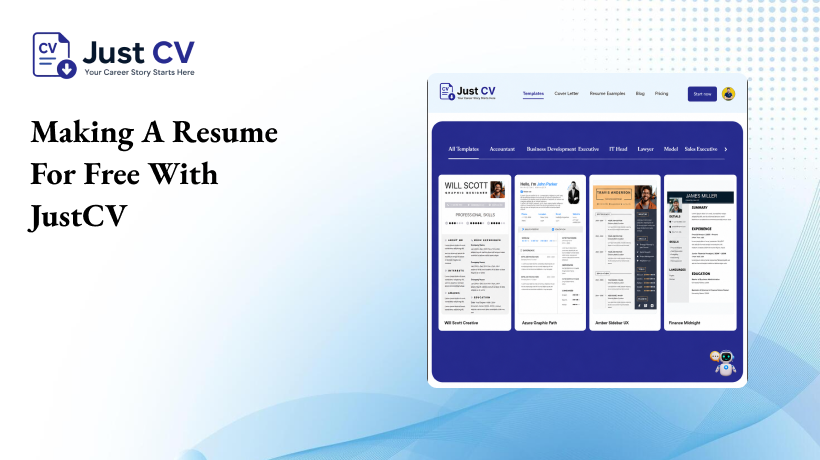
JustCV’s free plan is built around one specific promise: what the plan calls “free” is what you actually get at download. The free tier includes a genuine, ATS-friendly PDF export not a plain-text file designed to nudge you toward an upgrade and no credit card is required to sign up or to download.
Here’s how the earlier steps map onto JustCV specifically:
- You paste in your experience, and AI suggests draft bullet points you can edit or rewrite entirely – the AI assists, it doesn’t write your whole resume for you.
- Templates are built with a real, selectable text layer, so the resume you download is one an ATS can actually parse, not a flattened image.
- The pricing page states plainly what’s free and what isn’t, before you ever reach a payment screen.
If you’re building a resume after time away from the workforce, a career change, or your first job search, none of that changes what “free” means here that counts, and it’s reflected the same way in the free plan regardless of your starting point.
If a CV format fits your target market better than a resume, our guide to building a CV that’s actually free walks through the same free-vs-free-in-name-only check for CV tools specifically. And you can see exactly what’s included on JustCV’s free resume builder plan before you start.
Start Building
You don’t need a card to find out whether a builder’s free plan actually works for you. Start free, build your resume, and see exactly what downloads before you decide whether to upgrade.
Start Free
FAQs
Can I really make a resume for free?
Yes. Several builders, including JustCV, let you build and download a resume without paying. The key is checking whether the free plan exports a real PDF, not just a plain-text file, before you rely on it for a job application.
Do I need a credit card to download my resume?
Not with every builder, but some require one to start a “free trial” that converts to a paid subscription later. JustCV’s free plan doesn’t require a card to sign up or to download your PDF.
Why do some “free” resume builders still charge me?
Many use a low-cost trial that automatically becomes a recurring monthly or four-weekly charge if you don’t cancel in time. Reading the billing terms before you start, not after you’ve built the resume, is the best way to avoid this.
What file format should a free resume download be?
A genuine PDF with a real, selectable text layer. A plain-text (.txt) export often isn’t accepted by employers or read correctly by applicant tracking systems.
Is an AI-made resume as good as one I write myself?
AI-assisted builders draft suggestions based on what you enter – you still edit, approve, and personalize every line. Treat the AI draft as a starting point, and the finished resume as yours.
Can I make a resume online without signing up at all?
Some tools let you build without an account, but most require at least a free signup to save your progress and download. JustCV requires a free account, not a card, to download your resume.
Will my free resume look different from a paid one?
It depends on the builder. On JustCV, the free plan includes a genuine ATS-friendly PDF export – the core building and download experience isn’t gated behind a paywall.
How long does it take to build a resume for free?
Most people can complete the six steps above – from adding basic information to downloading a PDF – in well under an hour, especially if they’re starting from an existing resume or LinkedIn profile.